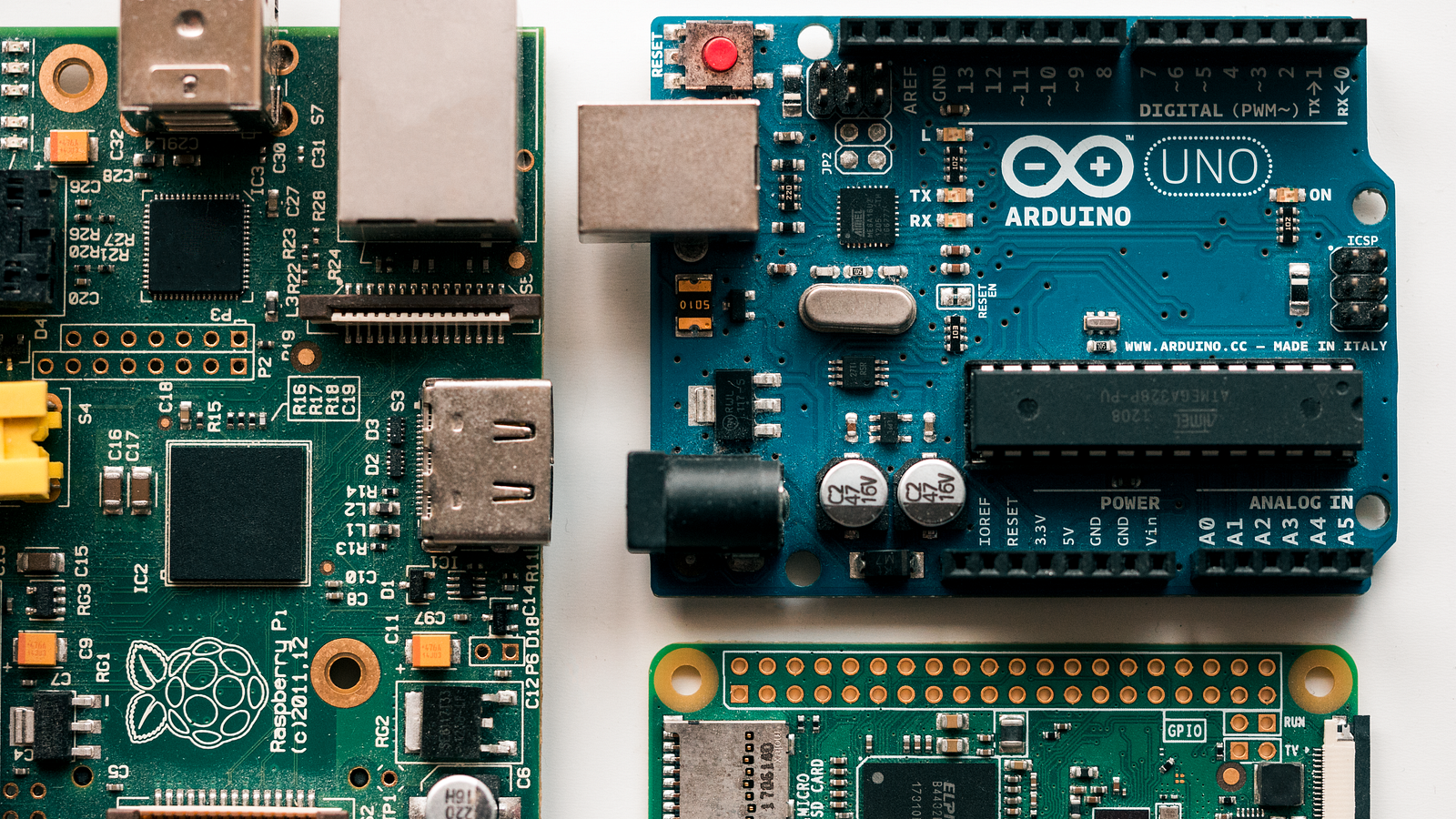
In the ever-expanding universe of Single Board Computers (SBCs), the market is flooded with options that dwarf the Raspberry Pi in raw computational muscle. Intel NUCs pack desktop-class processors into palm-sized enclosures. The NVIDIA Jetson series delivers GPU-accelerated machine learning at the edge. Boards like the Khadas VIM4 and the Orange Pi 5 boast octa-core ARM processors, 16 gigabytes of RAM, and NVMe storage support. On paper, these boards are objectively superior computing platforms.
Yet, when an engineer, a hobbyist, or a student sets out to build a project involving physical sensors, motors, relays, displays, or any form of real-world peripheral interaction, the Raspberry Pi remains the overwhelming first choice. It has held this position for over a decade, surviving wave after wave of competitors that promised more power, more features, and better specifications.
The reason for the Pi’s enduring dominance in the physical computing space is not about processing speed. It is about a fundamental architectural and philosophical difference. High-powered boards are designed to process data in the digital world. The Raspberry Pi is designed to bridge the digital and physical worlds. It occupies a unique sweet spot—powerful enough to run a full Linux operating system with Python and networking, yet close enough to the hardware to speak the low-level electrical languages that sensors and peripherals understand.
This article explores the specific technical and ecosystem advantages that make the Raspberry Pi uniquely suited for projects involving sensors and peripherals, and examines when it makes sense to graduate to more powerful alternatives.
The GPIO Header: A Direct Line to the Physical World
The single most important hardware feature that separates the Raspberry Pi from high-powered computing boards is its 40-pin General Purpose Input/Output (GPIO) header. This double row of metal pins, exposed along one edge of the board, is the Pi’s gateway to the physical world.
Most high-powered boards interact with external devices through abstracted, high-level protocols. They offer USB ports, HDMI outputs, Ethernet jacks, and sometimes PCIe slots. These are powerful interfaces designed for complex, high-bandwidth digital devices like webcams, monitors, hard drives, and network adapters. However, they are fundamentally unsuitable for the kind of low-level, direct hardware communication that sensors and simple peripherals require.
The Raspberry Pi’s GPIO header, by contrast, exposes raw hardware communication buses directly from the system-on-chip (SoC) to the outside world. These buses are the native languages spoken by the vast majority of electronic sensors and actuators manufactured today.
I2C (Inter-Integrated Circuit) is the most common protocol for digital sensors. Temperature sensors, humidity sensors, barometric pressure sensors, accelerometers, gyroscopes, magnetometers, and time-of-flight distance sensors almost universally communicate over I2C. The Pi exposes dedicated I2C data and clock lines on its GPIO header. Connecting an I2C sensor requires nothing more than four wires: power, ground, data, and clock.
SPI (Serial Peripheral Interface) is a faster protocol used for devices that require higher data throughput. Small LCD screens, OLED displays, analog-to-digital converters (ADCs), and SD card readers communicate over SPI. The Pi natively supports two SPI buses on its header, allowing direct, high-speed communication with these devices.
UART (Universal Asynchronous Receiver-Transmitter), also known as serial communication, is used for GPS modules, Bluetooth modules, RFID readers, and for communicating with microcontrollers like Arduinos. The Pi’s GPIO header includes dedicated transmit and receive pins for UART.
PWM (Pulse Width Modulation) is essential for analog-style control in a digital system. Servo motors, which are used extensively in robotics, require precise PWM signals to set their angular position. LED strips require PWM for brightness dimming. The Pi provides hardware PWM channels directly on its header.
To appreciate the significance of this, consider the alternative. If you wanted to connect a simple two-dollar I2C temperature sensor to a high-powered Intel NUC, you would first need to purchase a specialized USB-to-I2C adapter bridge, which itself costs more than the sensor. You would then need to install drivers for the bridge, configure it, and write software to communicate through it. The adapter adds latency, complexity, and a point of failure. On a Raspberry Pi, you connect four wires directly to the pins, enable I2C in the configuration, and read the temperature with a single line of Python code. The difference in friction is enormous, and it is this friction that determines which platform engineers reach for when building physical computing projects.
The Software Ecosystem: A Decade of Community Investment
Hardware capability is meaningless without software support. A GPIO pin is just a piece of metal until a software driver tells it what to do. This is where the Raspberry Pi’s decade-long head start creates an almost insurmountable competitive moat.
The Raspberry Pi was released in 2012 with an explicit educational mission: to make computing and electronics accessible. This attracted a massive global community of educators, hobbyists, engineers, and makers. Over the subsequent years, this community produced an extraordinary volume of software libraries, tutorials, wiring diagrams, and troubleshooting guides specifically for the Raspberry Pi platform.
The result is a simple but powerful truth: if a sensor exists, someone has already written a Python library for it on the Raspberry Pi.
The gpiozero library, developed by the Raspberry Pi Foundation itself, is a masterclass in accessible hardware abstraction. It allows beginners to interact with common components using intuitive, readable Python code. Turning on an LED connected to a GPIO pin is a single line: LED(17).on(). Reading a motion sensor is equally simple: MotionSensor(4).wait_for_motion(). This library lowers the barrier to entry so dramatically that even a child or a non-programmer can start building sensor projects within minutes.
For more advanced users, the Adafruit CircuitPython and Blinka ecosystem provides production-quality Python drivers for thousands of sensors and peripherals. Adafruit, one of the world’s largest open-source hardware companies, designs and manufactures sensors and provides corresponding Python libraries. Their libraries handle all the low-level I2C, SPI, and UART communication, exposing clean, well-documented Python interfaces. Need to read a BME280 environmental sensor? Install the Adafruit library via pip, import it, and call sensor.temperature. The entire integration takes less than five minutes.
Now compare this to the experience on a competing SBC. If you purchase an Orange Pi 5 or a Rock Pi 4, you might find that the I2C bus is enabled differently, the GPIO pin numbering scheme is incompatible, and the Adafruit library throws errors because it was never tested on that specific board’s kernel. You are suddenly reading kernel source code, compiling custom device tree overlays, and spending days on a task that takes minutes on a Raspberry Pi. The raw hardware capability might be identical, but the software ecosystem makes all the difference.
The HAT Standard: Plug-and-Play Hardware Expansion
The physical dimensions and GPIO layout of the Raspberry Pi have remained remarkably consistent since the Raspberry Pi B+ was released in 2014. This consistency gave birth to an entire industry of standardized hardware expansion boards called HATs (Hardware Attached on Top).
A HAT is a printed circuit board designed to the exact dimensions of the Raspberry Pi. It plugs directly onto the 40-pin GPIO header, aligning perfectly with the board’s mounting holes. HATs contain an onboard EEPROM chip that stores configuration data, allowing the Raspberry Pi’s operating system to automatically detect the HAT and load the appropriate drivers upon boot.
The variety of available HATs is staggering. There are motor controller HATs for robotics projects, capable of driving multiple DC motors and stepper motors simultaneously. There are relay HATs for home automation, allowing the Pi to switch high-voltage appliances on and off. There are Power-over-Ethernet (PoE) HATs that allow the Pi to receive power and network connectivity through a single Ethernet cable, which is invaluable for deploying sensor nodes in remote locations. There are environmental monitoring HATs with pre-mounted temperature, humidity, and air quality sensors. There are E-ink display HATs, audio amplifier HATs, cellular modem HATs, and GPS HATs.
The elegance of the HAT system is that it transforms the Raspberry Pi from a general-purpose computer into a specialized, integrated device in seconds, without any soldering, breadboarding, or loose wiring. For industrial IoT deployments, this is particularly important. A Pi with a sensor HAT mounted on top and enclosed in a standard case is a neat, reliable, deployable unit. A high-powered board with sensors connected via jumper wires on a breadboard is a fragile prototype that would never survive a production environment.
High-powered boards almost universally lack this standardized expansion ecosystem. While some, like the NVIDIA Jetson Nano, have GPIO headers, the pin layouts vary between manufacturers and even between revisions of the same board. The market for compatible expansion boards is tiny, and the plug-and-play experience is non-existent.
Electrical Compatibility: Speaking the Language of Electronics
Sensors and electronic components operate in a world of low voltages. The vast majority of modern digital sensors and peripherals are designed to operate at either 3.3 Volts or 5 Volts. This is not a minor detail; it is a fundamental requirement for safe and reliable hardware interfacing.
The Raspberry Pi’s GPIO header natively provides both 3.3V and 5V power rails. Its data pins operate at 3.3V logic, which is the standard for most modern I2C and SPI sensors. This means you can power a sensor and communicate with it using nothing more than the pins on the Pi itself. No external power supply is needed for the vast majority of sensor projects.
Furthermore, the Pi’s power consumption is remarkably low, typically between 2 and 7 watts depending on the model and workload. This makes it ideal for battery-powered or solar-powered sensor deployments in the field. A high-powered board consuming 30 to 65 watts would drain a battery pack in a fraction of the time, making remote deployment impractical.
Standard desktop-class PCs and high-powered compute boards do not expose friendly, regulated low-voltage rails for external tinkering. Their internal power delivery systems are designed for CPUs, GPUs, and memory modules, not for two-dollar sensors. Tapping into these systems for peripheral power requires specialized knowledge of power electronics, voltage regulators, and level shifters—a barrier that eliminates all but the most experienced electrical engineers.
The Community Factor: You Are Never Alone
In the world of hardware projects, things go wrong in unpredictable ways. A sensor returns garbage data because of a noisy power supply. An I2C bus locks up because two devices have conflicting addresses. A motor driver overheats because the PWM frequency is set incorrectly. These are not problems you can solve by reading a programming language reference manual. They require domain-specific hardware knowledge, and often, the fastest path to a solution is finding someone who has already encountered and solved the exact same problem.
The Raspberry Pi community is the largest and most active in the SBC world. The official Raspberry Pi Forums have millions of posts spanning every conceivable hardware project. Stack Overflow, Reddit, Instructables, Hackster.io, and YouTube are overflowing with Raspberry Pi sensor tutorials, wiring guides, and troubleshooting threads.
If you connect a specific barometric pressure sensor to a Raspberry Pi and get an I2C error, there is an extraordinarily high probability that someone, somewhere, has documented the exact same error and posted a solution. If you attempt the same project on a niche high-powered board with a fraction of the user base, you might be the first person in the world to encounter that particular combination of hardware and software. You are on your own, armed with nothing but a raw datasheet written in broken English.
This community advantage creates a compounding network effect. More users mean more tutorials. More tutorials attract more users. More users attract more hardware manufacturers to build HATs and accessories. More accessories attract more users. The Raspberry Pi’s ecosystem feeds on itself, growing wider and deeper with each passing year, making it increasingly difficult for competitors to catch up.
Knowing When to Graduate: The Limits of the Pi
Despite its dominance in the sensor and peripheral space, the Raspberry Pi is not a universal solution. There are specific project categories where its limitations become hard barriers, and a more powerful or more specialized platform is required.
Machine Learning at the Edge is the most prominent example. If your “sensor” is a high-resolution camera and your project requires running real-time object detection, image classification, or pose estimation, the Pi’s general-purpose ARM CPU and VideoCore GPU will struggle. Platforms like the NVIDIA Jetson series, with their dedicated CUDA cores and tensor processing units, are purpose-built for this workload. You can still connect additional I2C or SPI sensors to a Jetson, but its primary advantage is running AI inference models at speeds the Pi simply cannot match.
Hard Real-Time Control is another critical limitation. The Raspberry Pi runs a standard Linux operating system. Linux is not a Real-Time Operating System (RTOS). At any moment, the kernel might decide to run a garbage collection cycle, process a network interrupt, or write to the swap file. These operations can pause your application code for milliseconds. For most sensor reading applications, this is irrelevant. But for projects that require microsecond-precision timing—such as balancing a high-speed drone, controlling a CNC milling machine, or generating precise stepper motor pulse trains—a missed deadline can be catastrophic. In these scenarios, a dedicated microcontroller like an Arduino, an ESP32, or a Teensy, running a bare-metal firmware or an RTOS, is the correct tool. Many advanced projects use a hybrid architecture: a Raspberry Pi handles the high-level logic, networking, and user interface, while a microcontroller connected via UART or USB handles the time-critical hardware control loop.
Extreme Environmental Conditions also pose challenges. The Raspberry Pi is a consumer electronics board. It is not rated for operation in extreme temperatures, high humidity, or high-vibration industrial environments. For deploying sensors in harsh conditions, industrially hardened alternatives or custom-designed embedded systems with conformal coating and wider temperature tolerances are necessary.
Conclusion: The Right Tool for the Right Job
The enduring dominance of the Raspberry Pi in the sensor and peripheral space is not an accident of marketing or brand loyalty. It is the result of a carefully cultivated combination of accessible hardware design, a mature and comprehensive software ecosystem, a standardized expansion platform, electrical compatibility with the world of low-voltage electronics, and the largest support community in the history of single-board computing.
High-powered boards will always win the benchmark race. They will process more data, render more frames, and train more models. But benchmarks do not measure how quickly an engineer can go from an idea to a working prototype that reads a temperature, activates a motor, and sends the data to the cloud.
In the world of physical computing, where the goal is to sense, interact with, and respond to the real world, the Raspberry Pi’s genius lies not in its power, but in its accessibility. It speaks the native electrical languages of sensors. It runs the native software languages of developers. And it is backed by a community so vast that no question goes unanswered for long.
For projects that bridge the gap between the digital and the physical, the Raspberry Pi is not just a suitable option. It is the standard against which all others are measured.